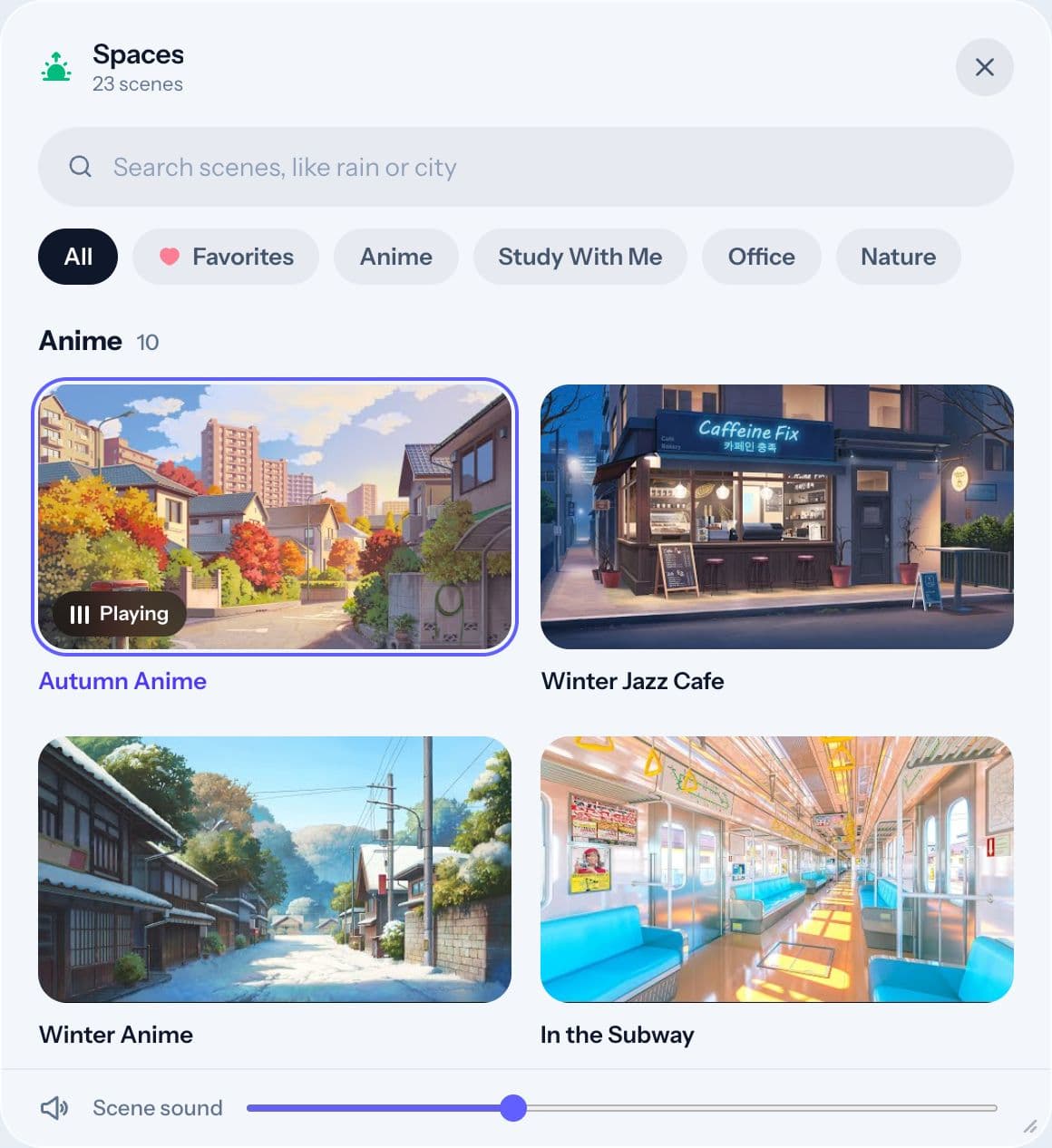
A scene is the moving background you study in, with its own ambient sound. Spacial has over 30 hand-picked scenes, and you can switch any time.
Browsing scenes
Click Spaces in the dock. Scenes are grouped by style:
- Anime: cozy illustrated streets, cafes and trains.
- Study With Me: real people working quietly in real time, often with a timer on screen.
- Office: calm desks and city views for a work mood.
- Nature: lakes, rivers, waterfalls and mountains.
Use the search field to find something specific, like "rain", "night" or "city". Click a scene to switch.
Scene sound
Set the volume with the Scene sound slider at the bottom of the Spaces panel, or with the speaker in the top bar.
Favorites
Click the heart on any scene to save it. Choose Favorites at the top of the Spaces panel to see only your saved scenes.
Your own scenes
With the Focus plan, you can paste any YouTube link into the Spaces panel and use that video as your scene.
Which scene is best for studying?
Try a few for one round each and keep what works. Steady sounds like rain or a river suit reading; Study With Me helps with tasks you keep putting off. Our post on ambient sound for studying goes deeper.