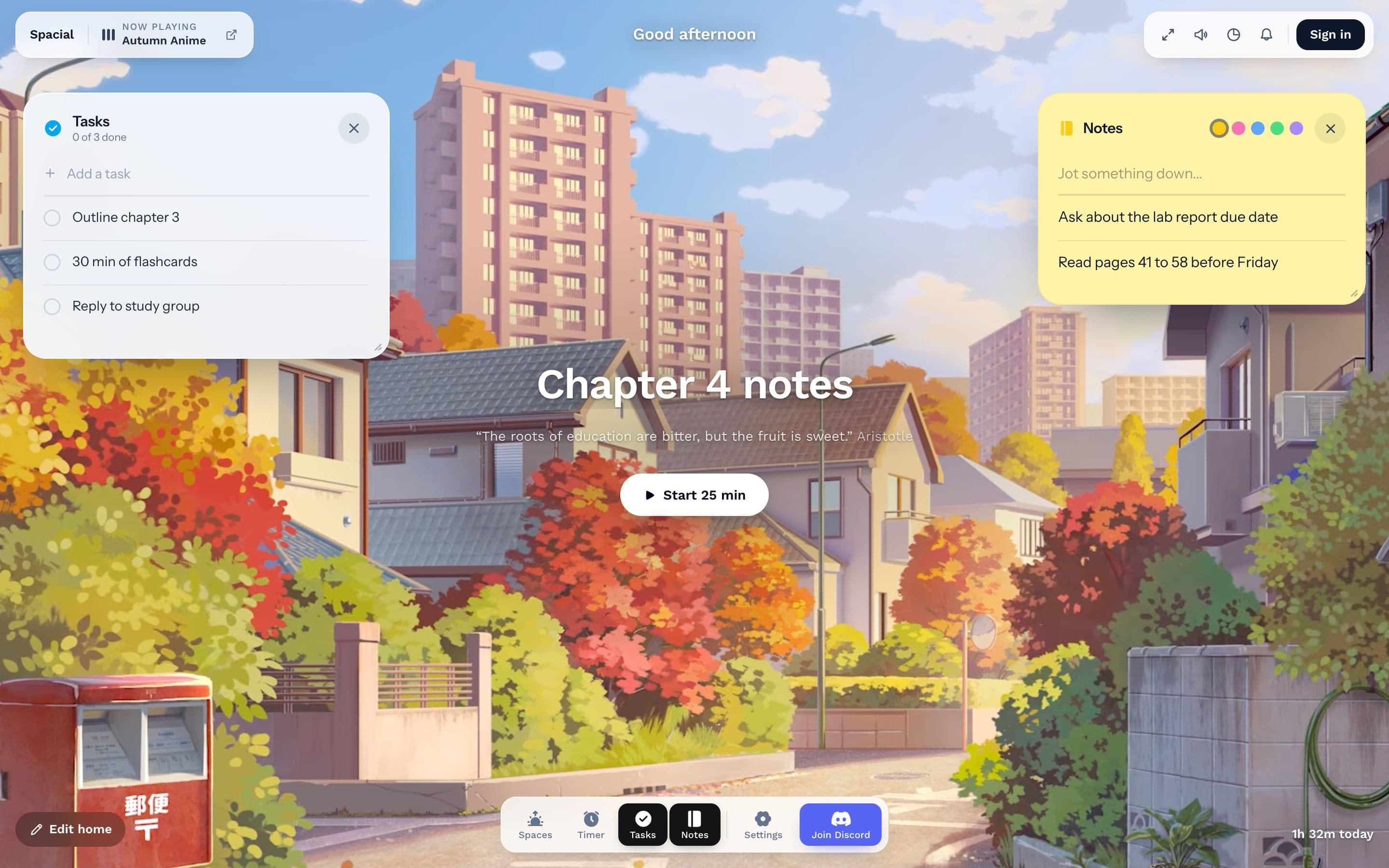
Spacial is a virtual study space that helps you sit down, focus, and get work done. You pick a calming scene, like a rainy cafe, a quiet Tokyo street or a mountain lake, set a Pomodoro timer, and work through your tasks, all in one browser tab.
It works for studying, writing, coding, reading or any work that needs your attention. There's nothing to install, and you can start without an account.
What do people use Spacial for?
People open Spacial whenever they need a stretch of focused time. Common uses include:
- Studying: Revise for exams, work through problem sets, or read with a timer keeping you honest.
- Deep work: Write, code or design in focused rounds, with breaks built in.
- Body doubling: Study With Me scenes put someone quietly working alongside you, which many people find makes starting easier.
- Setting the mood: Ambient scenes and sound block out a noisy room or an empty, too-quiet one.
What's in Spacial?
Everything sits on top of your scene, so you never leave the tab:
- Scenes: Over 30 hand-picked scenes in four styles: Anime, Study With Me, Office and Nature. Each plays its own ambient sound.
- Pomodoro timer: 25 minutes of focus and a 5-minute break by default, or set your own length.
- Name your focus: Type what you're working on before you start. Spacial remembers recent labels.
- Tasks: A short to-do list for today.
- Notes: A sticky-note pad for quick jots.
- Insights: See how much you focused today and what you spent it on.
Is Spacial free?
Yes. Everything above is free. The optional Focus plan adds a longer view of your Insights, unlimited tasks and notes, and your own YouTube videos as scenes. It starts with a 30-day free trial.
How do I get started?
Open Spacial, type what you'd like to focus on, and press Start. For a walkthrough, read How to use Spacial.